
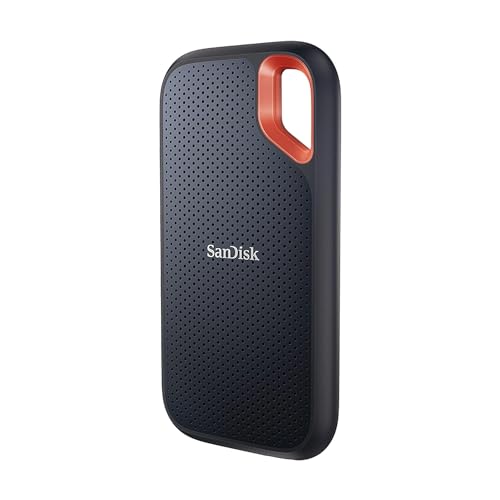
Best For Outdoor UseSanDisk
SanDisk Extreme Portable SSD V2 1TB
- IP55 dust and water resistance
- Carabiner loop
Samsung
Sponsored link · confirm price and availability on Amazon · updated
Yes, for the right buyer. The Samsung T9 Portable SSD 2TB ranks #5 in our Best USB-C Portable SSDs 2026 list. Its biggest strength: up to 2,000 MB/s on Gen 2x2 ports. The main caveat: full speed needs a Gen 2x2 port most Macs lack.
2 Gen 2x2 drive rated up to 2,000 MB/s, with a rugged shell and 5-year warranty.
Pros
Cons
Buy it if you're…
Think twice if this matters to you
| List | Rank |
|---|---|
| Best USB-C Portable SSDs 2026 | #5 / 5 |
| Best Portable SSDs for Video Editing 2026 | #6 / 6 |
| Best Portable SSDs 2026 | #6 / 6 |
Products ranked near it in our research, each better for a slightly different buyer.
Yes, for the right buyer. The Samsung T9 Portable SSD 2TB ranks #5 in our Best USB-C Portable SSDs 2026 list. Its biggest strength: up to 2,000 MB/s on Gen 2x2 ports. The main caveat: full speed needs a Gen 2x2 port most Macs lack.
Based on our research it suits video editing 2026. It's ranked #5 of 5 in our Best USB-C Portable SSDs 2026 list.
The main trade-offs owners and reviewers point to: full speed needs a Gen 2x2 port most Macs lack; pricier than T7; gets warm under long writes.
Worth comparing: SanDisk Extreme Portable SSD V2 1TB, Crucial X9 1TB Portable SSD and Crucial X10 Pro 2TB Portable SSD. Each ranks near it in our research for a slightly different buyer.
It's sold on Amazon. Prices and stock change often, so check the current listing before you buy, our link takes you straight to it.
USB 3.2 Gen 2 provides 10 Gbps theoretical bandwidth, sufficient for portable SSD speeds up to approximately 1000 MB/s. Thunderbolt 3 and 4 provide 40 Gbps, sufficient for 3000+ MB/s NVMe SSDs. Most portable SSDs use USB 3.2 Gen 2 (1000 MB/s class). Thunderbolt-only portable SSDs (Samsung X5, LaCie Rugged Thunderbolt) are faster but require a Thunderbolt port, not available on most Windows laptops. For a MacBook Pro or a Windows laptop with Thunderbolt: a Thunderbolt SSD achieves 2000-3000 MB/s. For USB-C without Thunderbolt: USB 3.2 Gen 2 SSDs max at 1000 MB/s regardless of the drive's rated speed.
A USB-C to USB-A adapter allows a USB-C portable SSD to connect to a USB-A port. Transfer speeds will be limited by the USB-A port's generation: USB 3.0 (5 Gbps) limits speeds to approximately 400 MB/s read. USB 3.1 Gen 2 (10 Gbps) allows full USB 3.2 Gen 2 SSD speeds. Check the laptop's USB-A port generation before relying on an adapter for full-speed transfers.

