


Crucial
Crucial X10 Pro 2TB Portable SSD
In: Best Portable SSDs for Video Editing 2026
- Up to about 2,000MB/s on Gen 2x2 ports
- IP55 dust and water resistance
Portable SSDs are much faster and tougher than spinning hard drives. Interface and real-world speed matter.
Standout picks from our best-of lists. Tap any product for features, pros and cons.
In: Best Portable SSDs for Video Editing 2026
In: Best USB-C Portable SSDs 2026
In: Best Portable SSDs for Video Editing 2026
In: Best Portable SSDs for Video Editing 2026
Ranked shortlists for specific budgets and use cases. Start with the one that matches yours.
USB 3.2 Gen 2 drives reach around 1,000 MB/s. Faster USB4 and Thunderbolt drives need compatible ports to benefit.
Rugged designs suit travel.
Match drive speed to your ports.
Choose more space than you need now.
Look for drop and water resistance.
Hardware encryption protects data.
Check phone and console support.
Research-based picks from specs, independent reviews and owner feedback.
No paid placements, ever.
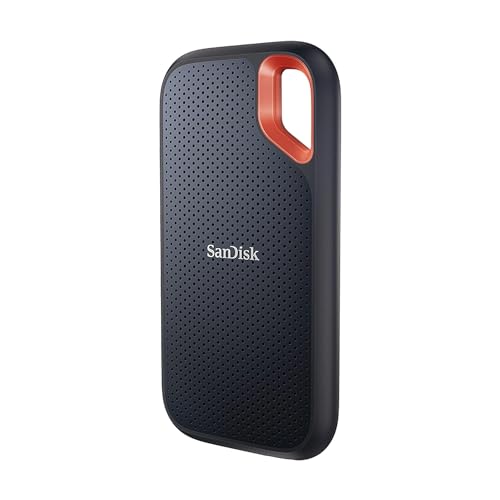
Our methodologyOne of our strongest picks is the Crucial X10 Pro 2TB Portable SSD, a standout in our Best Portable SSDs for Video Editing 2026 list. The SanDisk Extreme Portable SSD V2 1TB is another excellent choice.
Start with your main use and budget, then compare our shortlists: Best Portable SSDs for Video Editing 2026, Best Portable SSDs 2026, Best USB-C Portable SSDs 2026.
Match drive speed to your ports.
USB 3.2 Gen 2 provides 10 Gbps theoretical bandwidth, sufficient for portable SSD speeds up to approximately 1000 MB/s. Thunderbolt 3 and 4 provide 40 Gbps, sufficient for 3000+ MB/s NVMe SSDs. Most portable SSDs use USB 3.2 Gen 2 (1000 MB/s class). Thunderbolt-only portable SSDs (Samsung X5, LaCie Rugged Thunderbolt) are faster but require a Thunderbolt port, not available on most Windows laptops. For a MacBook Pro or a Windows laptop with Thunderbolt: a Thunderbolt SSD achieves 2000-3000 MB/s. For USB-C without Thunderbolt: USB 3.2 Gen 2 SSDs max at 1000 MB/s regardless of the drive's rated speed.
A USB-C to USB-A adapter allows a USB-C portable SSD to connect to a USB-A port. Transfer speeds will be limited by the USB-A port's generation: USB 3.0 (5 Gbps) limits speeds to approximately 400 MB/s read. USB 3.1 Gen 2 (10 Gbps) allows full USB 3.2 Gen 2 SSD speeds. Check the laptop's USB-A port generation before relying on an adapter for full-speed transfers.
Portable SSDs draw power from the USB connection. Unlike hard drives, SSDs have no spinning mechanism requiring high startup current. A USB-C portable SSD draws 0.5-1W during operation, well within the USB power delivery capability of any laptop's USB-C port, including those without power delivery profiles.
For most use cases: 500GB is a useful minimum. A 500GB drive holds approximately 100 hours of 4K video footage, 150,000 RAW photos, or a complete backup of a standard laptop. For video editing workflows with large source files: 1-2TB is more practical.
Portable SSDs use flash memory (no moving parts). Portable HDDs use spinning magnetic disks. Key differences: SSDs are 3-10x faster (400-1000 MB/s vs 100-120 MB/s for HDDs), more resistant to drops (no moving parts to damage), more compact and lighter, and more expensive per GB. HDDs are cheaper per GB and available in larger capacities (1-5TB at budget prices). For most users: SSD at 1-2TB. For large capacity archiving on a budget: HDD at 4-8TB.
